Founding Beta
Beta Tester Guide
Welcome to the Nehemio Founding Beta — and thank you. You’re one of ten founding members building a real business with Nehemio while we build Nehemio with you. This guide walks you through getting in, every screen, and the weekly workflows, and shows you exactly what to test and how to tell us what you find.
Every screenshot below comes from a demo business (a coaching practice called Cornerstone Coaching) so you can see what each screen looks like with real work in it. Yours will start emptier — that’s expected.
Start here: your front door
You’re reading this because your beta application was approved. Getting into the app takes four steps:
- Watch your inbox. The Shepherd Apps team onboards each founding member individually, so your invitation comes as a personal reply to your application email.
- Create your account at nehemio.com/signup — using the same email address you applied with. This matters: your Founding Member status is attached to your application email. Sign up with a different address and the app won’t know you’re a founding member.
- Confirm your email. We’ll send a confirmation link; click it and you’ll be signed in. (If it doesn’t arrive in a few minutes, check spam, then write to support@shepherdapps.com.)
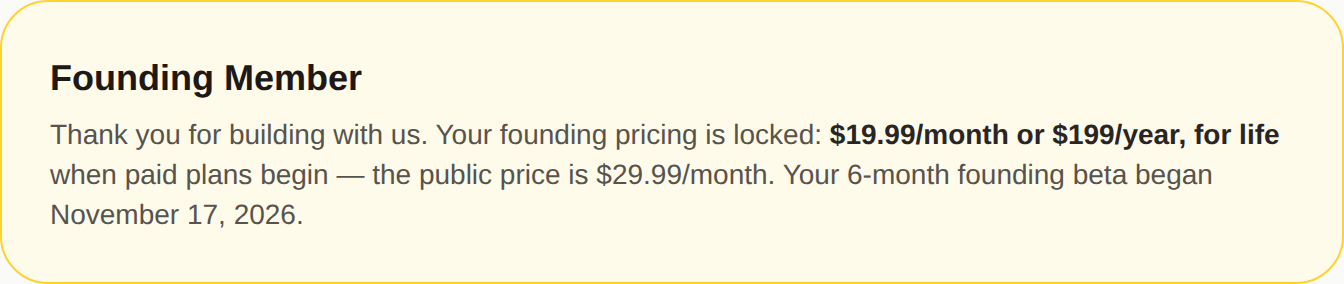
- Check your Account page. You should see a gold Founding Member card showing your locked rate and the date your six-month beta began. If it’s missing after you’ve confirmed your email, tell us — it’s a two-minute fix on our end.
Your first 10 minutes
Once you’re in, three things set up everything else. A getting-started checklist on the Today page tracks them for you:
- Name your business. Your workspace starts as “My Business.” Rename it from the card on the Today page — your real business name, the way you’d say it to a customer.
- Begin the 52-Day Launch Path. One click creates all five phases and their guided tasks. Don’t worry about finishing in 52 days — it’s a recommended pace, not a deadline.
- Peek at the Weekly Rhythm. Open the Rhythm page so Monday’s shape isn’t a surprise: a short verse, a prayer, and your Top 3 priorities for the week.
That’s it. Everything after this is just working — the app holds the structure so you can hold the business.
The screens, one by one
Today — your daily home
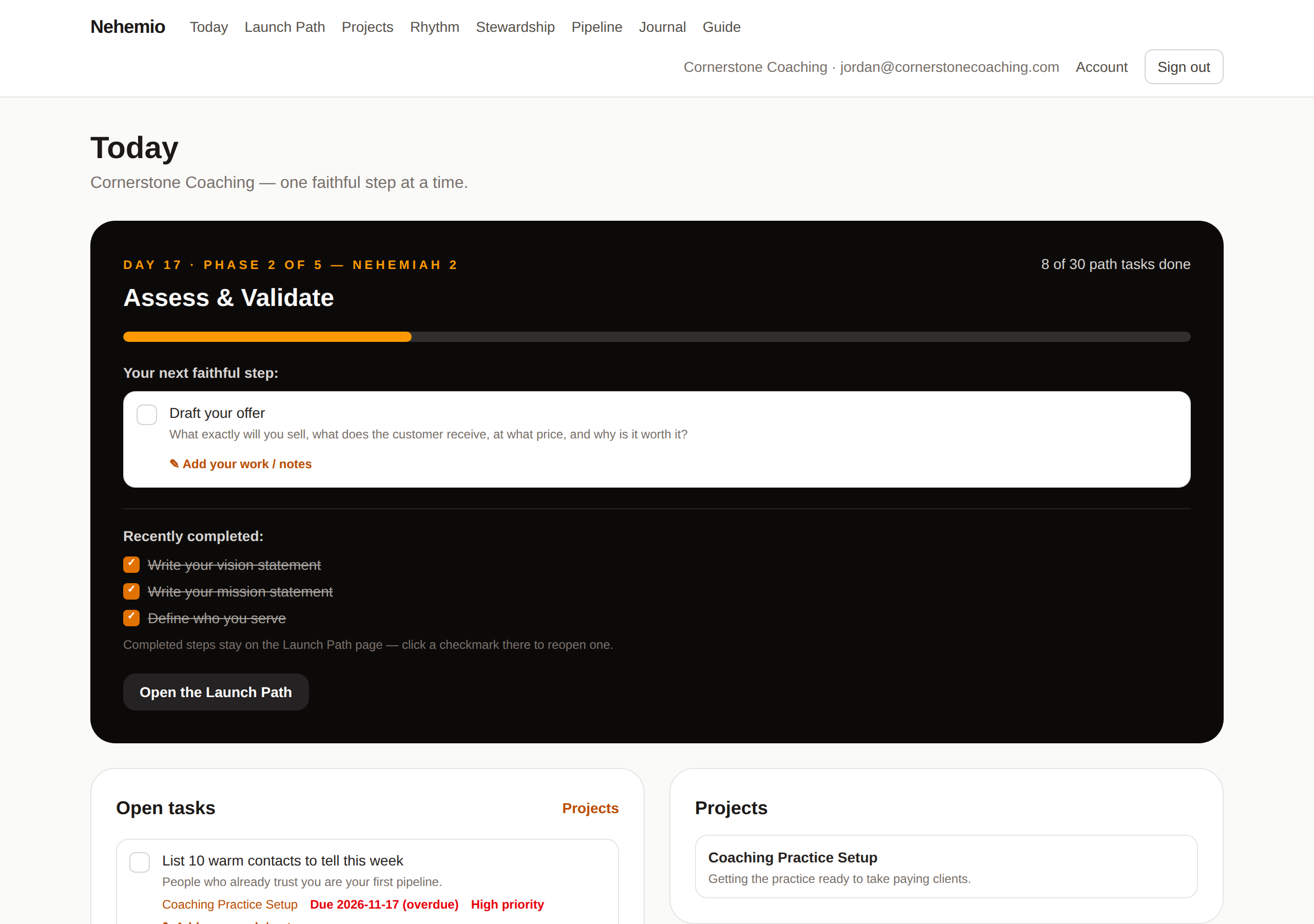
Today answers one question: what’s the next faithful step? Your current Launch Path task sits at the top. You’ll also see whether this week’s Monday and Friday rhythm halves are done, the week’s verse, any overdue tasks, and small summaries of your stewardship and pipeline.
Try this: click your “next faithful step” — it takes you straight to that task on the Launch Path.
Launch Path — the 52 days
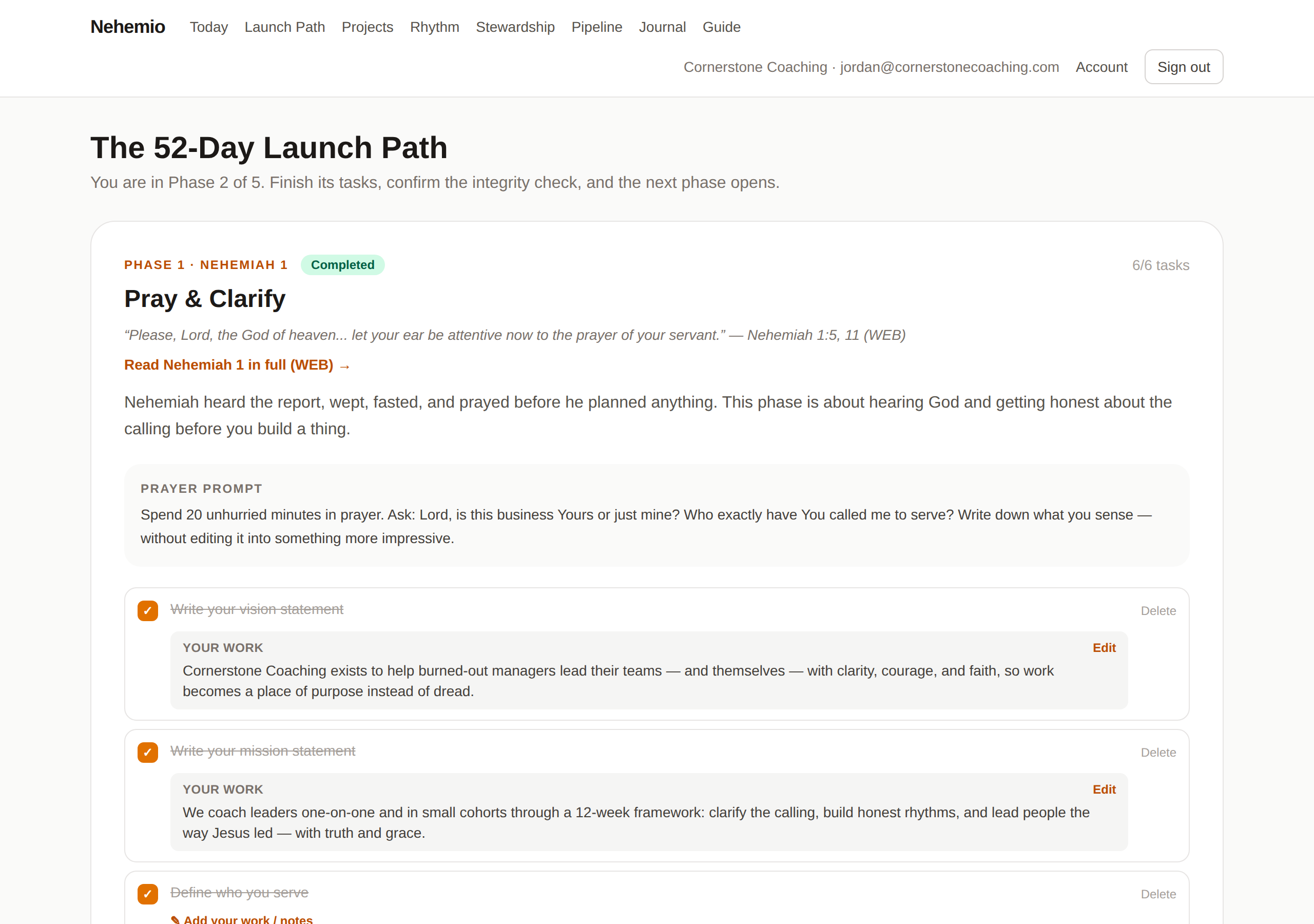
Five phases, modeled on Nehemiah rebuilding the wall: Pray & Clarify → Assess & Validate → Plan & Organize → Build → Launch & Persevere. Each phase has guided tasks, a scripture, a prayer prompt, and an integrity check. Many tasks ask you to produce something — a vision statement, an offer, a price. Click “Add your work / notes” on a task and write it right there; it saves attached to the task.
Try this: check a task off, then click its checkmark again to reopen it. Both directions should feel instant and obvious.
Projects — everything else you’re building
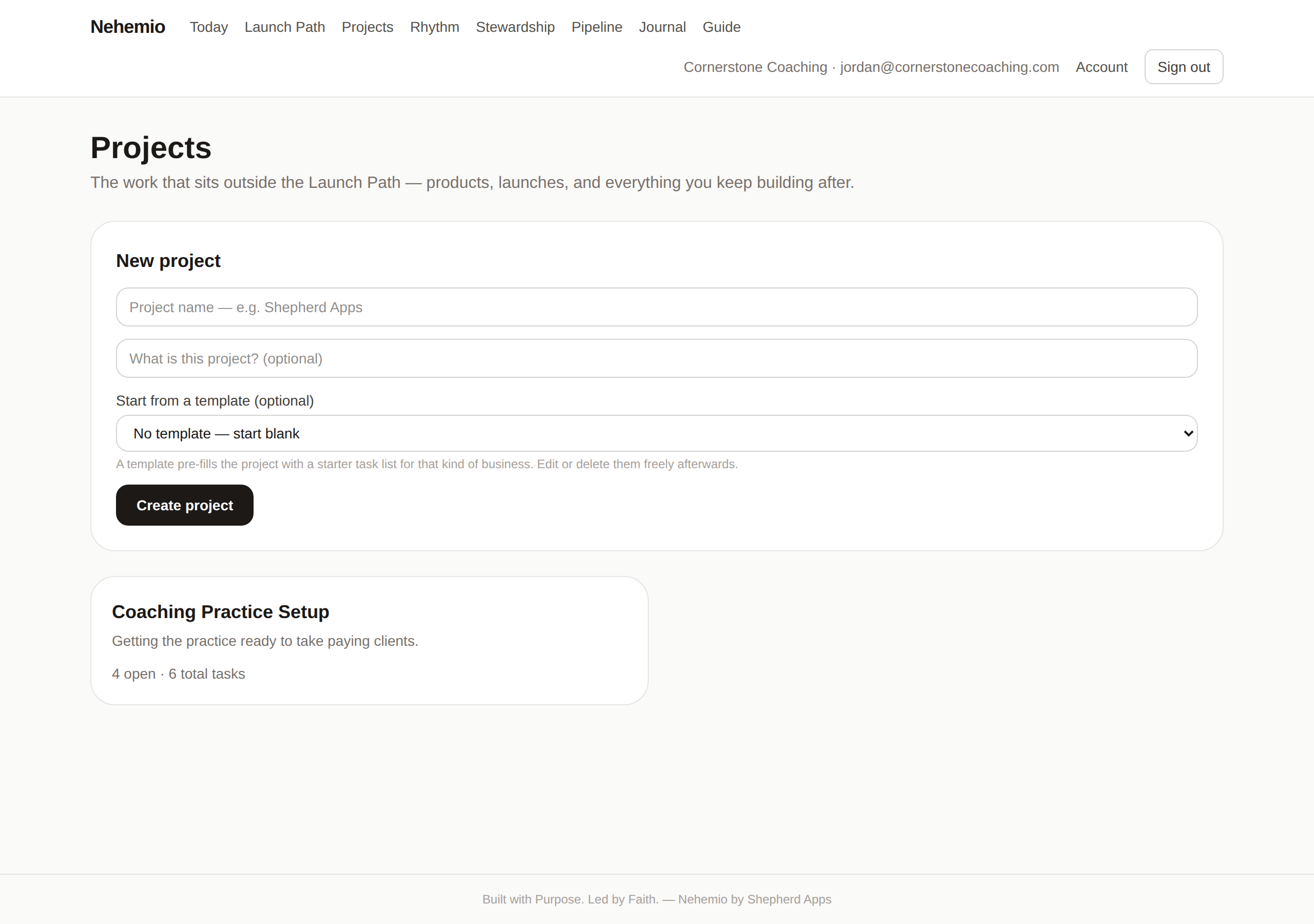
The Launch Path is the spine; Projects hold everything else — client work, operations, one-offs. When you create a project you can start from a business-type template (digital product, services, local business, online store, ministry, or creator) that pre-loads six starter tasks written for that kind of business.
Try this: create a throwaway project from a template, then delete it. Creating, renaming, and removing things should never feel risky.
Weekly Rhythm — the heartbeat
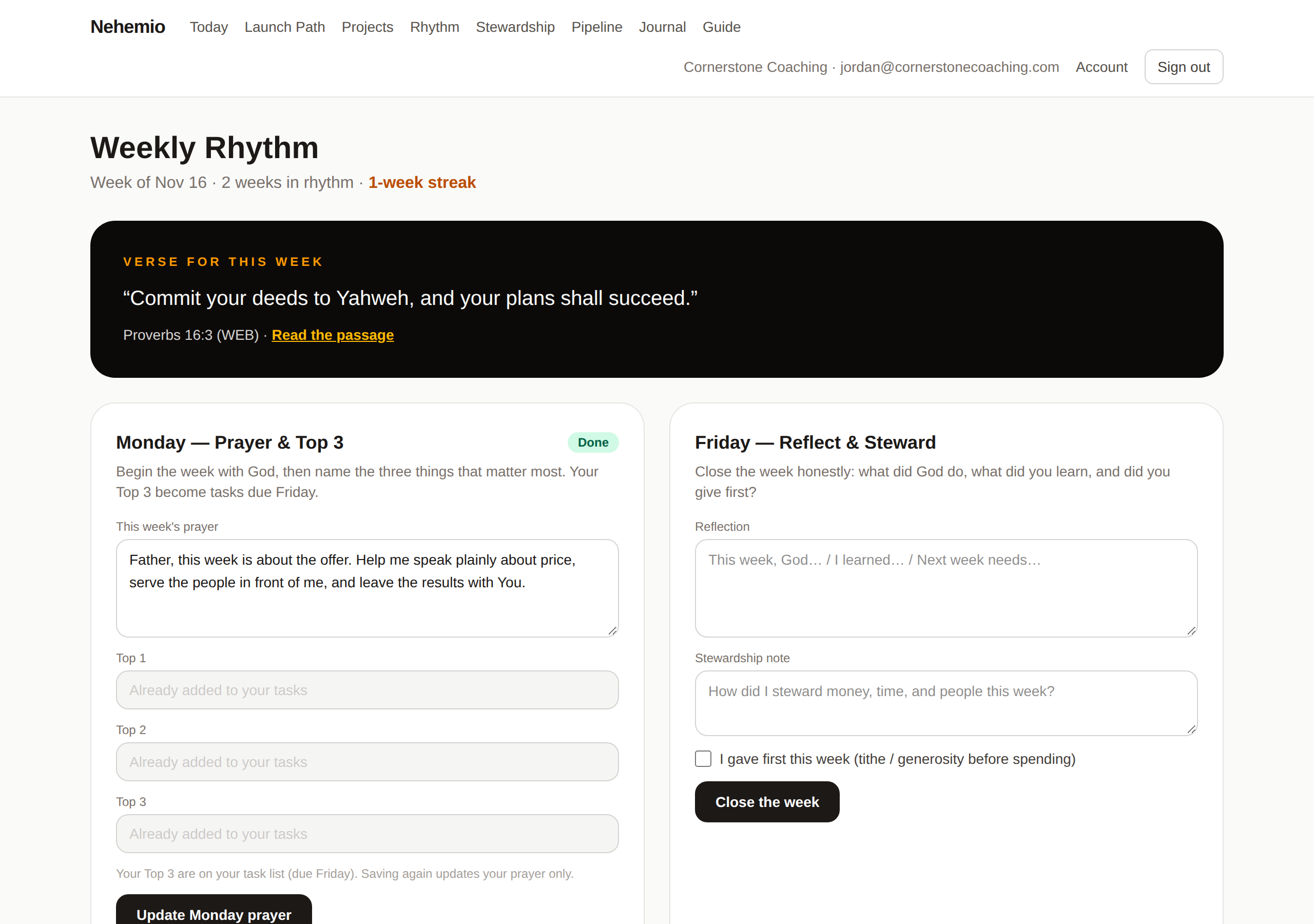
Monday: read the week’s verse, write a short prayer, name your Top 3 — saving turns them into real tasks due Friday. Friday: write what God did and what you learned, note how the money was stewarded, and mark honestly whether you gave first. If a half isn’t done, a gentle email nudge arrives that morning (you can turn nudges off on this page).
Try this: do a Monday entry and check the Today page — your Top 3 should be sitting there as tasks due Friday.
Stewardship — giving first, in plain sight
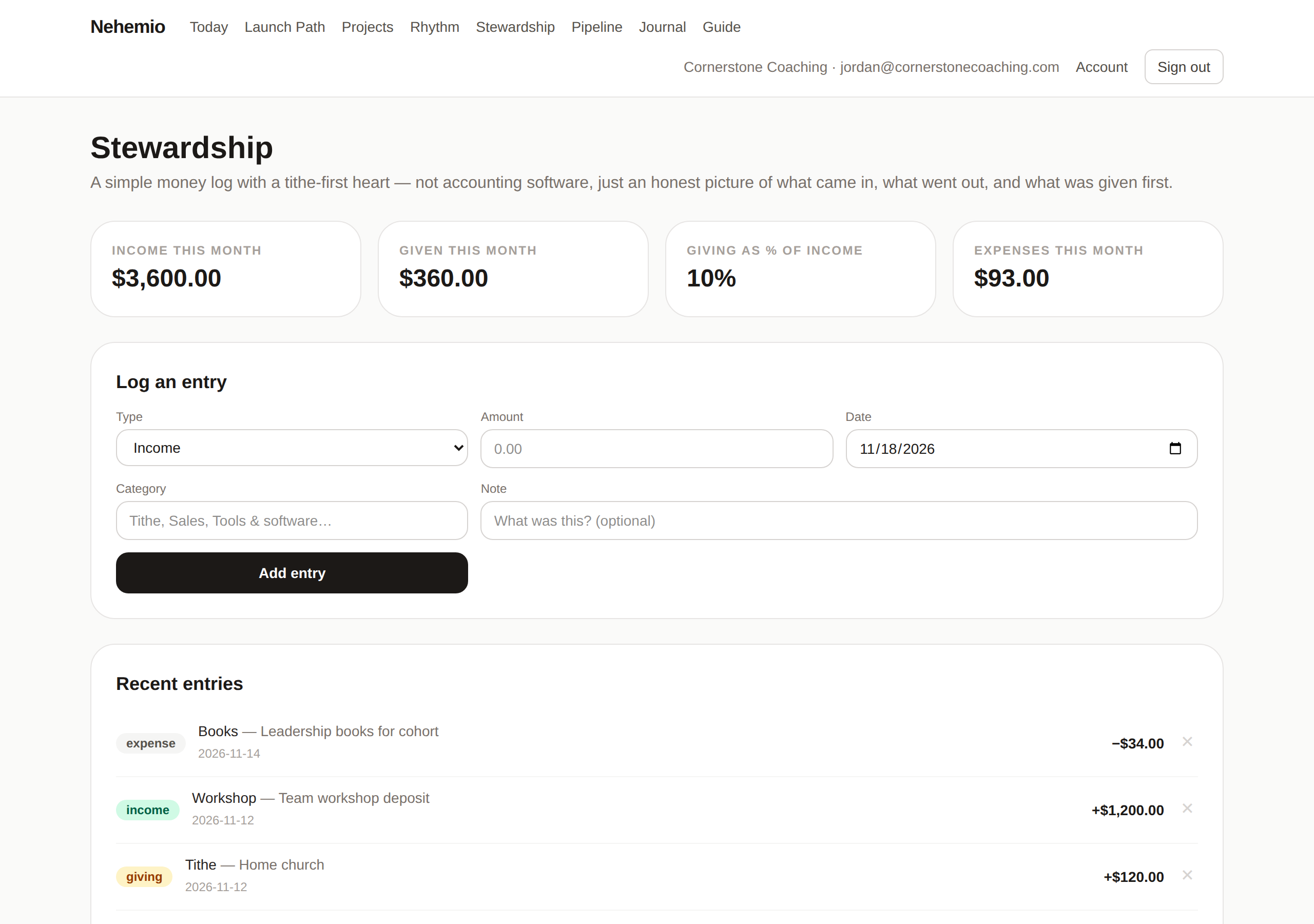
A simple money log — deliberately not accounting software. It answers one question: “Am I putting giving first and handling the rest with care?” Log income, giving, and expenses as they happen; the monthly totals and giving percentage keep the pattern honest.
Try this: log a small giving entry dated the same day as an income entry, and watch the month’s giving percentage move.
Pipeline — no follow-up left to memory
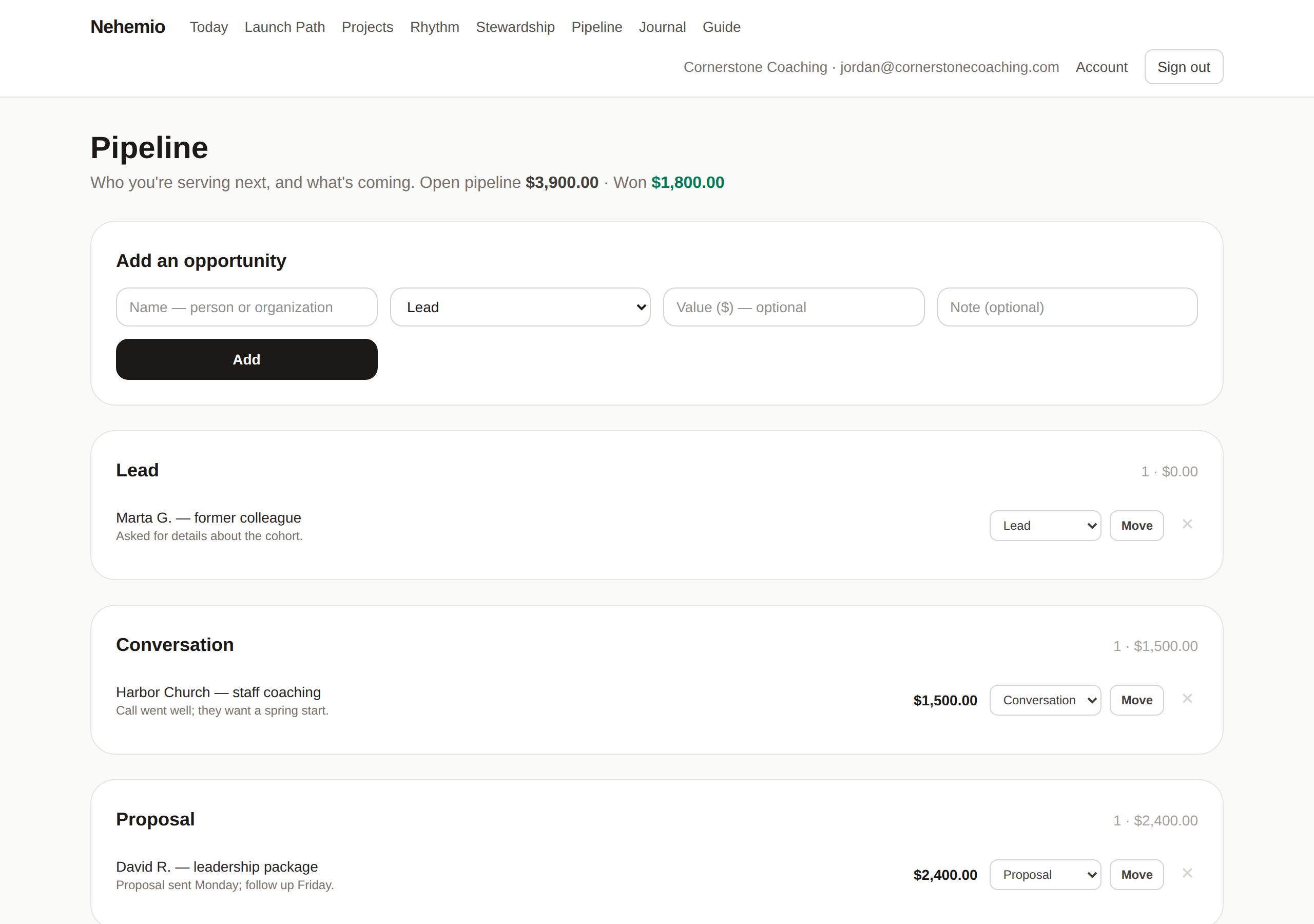
Every opportunity you’re pursuing, in one of five stages: lead → conversation → proposal → won / lost. Add a name, a value if you know it, and a note about the next step. When something moves, change its stage — the Today page keeps your open pipeline in view.
Try this: add a real lead you’re sitting on right now, with the next step in the note. Future-you says thanks.
Journal — private, on purpose
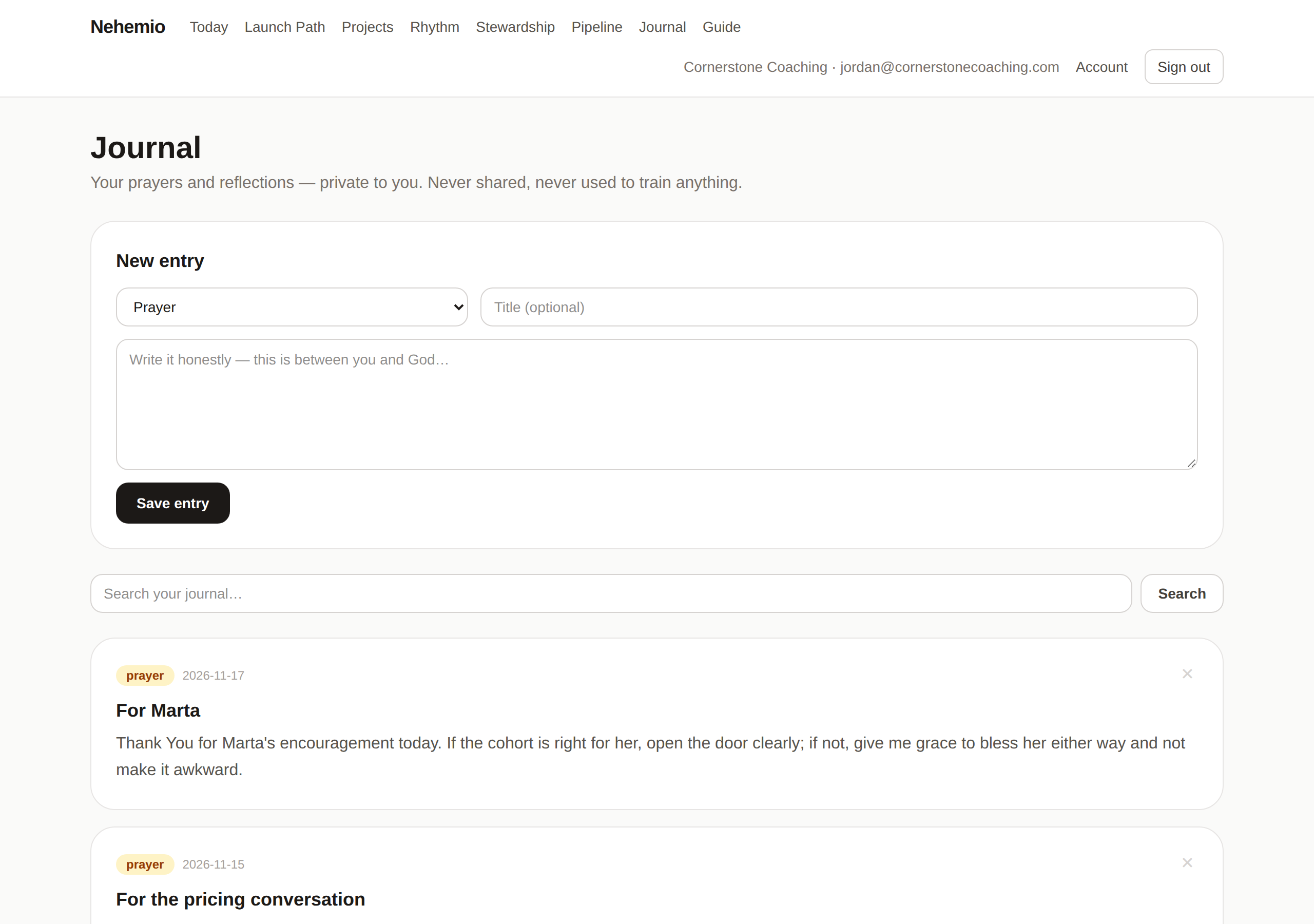
A private place for prayers and reflections as you build. It’s searchable (by you), and it is visible to no one else — not other members, not us. Prayer and journal content is never shared, never sold, and never used to train AI models.
Try this: write one honest entry — a prayer about the scariest part of your business right now. That’s what it’s for.
Account — your data is yours
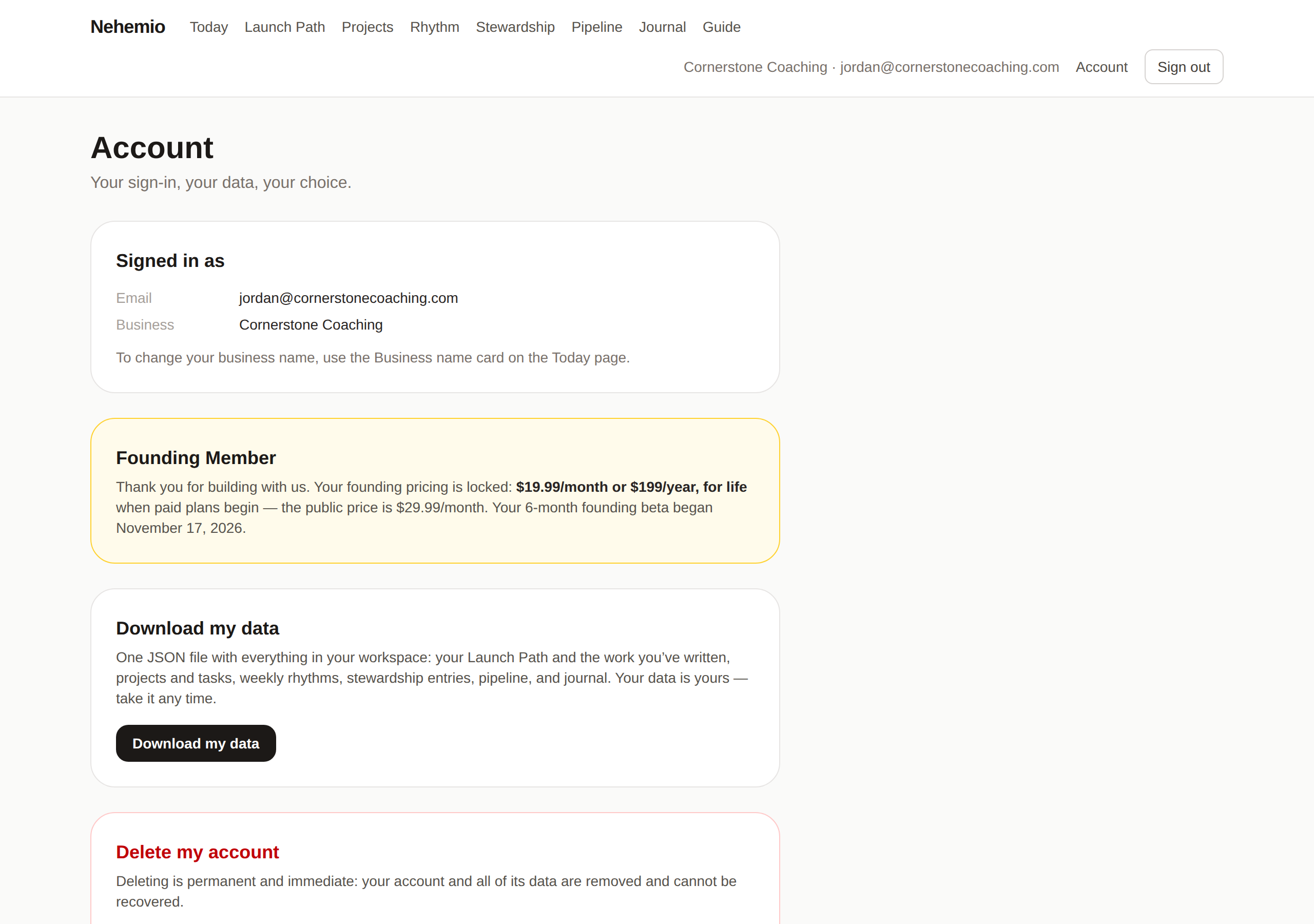
Three things live here: your Founding Member card, a download of all your data (one file, everything you’ve written), and permanent account deletion — which removes everything, immediately, and cannot be undone. We hope you never use the last one; we built it anyway, because your data is yours.
Try this: download your export once, just to see that it works and what’s in it. (Please don’t test deletion on your real account — it really deletes.)
The workflows that matter
A week in Nehemio. Monday morning: open Rhythm, read the verse, pray, set your Top 3 (5 minutes). Through the week: work from Today — your next Path step and your tasks are always in front of you. Log money as it moves. Friday: close the week with the reflection, the stewardship note, and the gave-first check (5 more minutes). That’s the whole rhythm — ten honest minutes a week, holding the whole business.
Completing a phase. Work the phase’s tasks in any order, writing your work into the tasks that ask for it. When every task is done, read the integrity check slowly — it’s a few honest statements about how you worked, not just what you finished. Confirm only what’s truly true; if a statement isn’t true yet, that’s the work. When the tasks are done and the check is confirmed, the phase completes and the next one opens.
Money in 30 seconds. Something comes in or goes out → Stewardship → add the entry with its kind (income, giving, expense) and a short note. No categories to manage, no accounts to reconcile — the monthly giving percentage is the number that matters.
Moving an opportunity. New name → Pipeline, stage lead. First real conversation → conversation. You’ve sent a price or a proposal → proposal. They say yes → won; they pass → lost (with a note about why, while you remember). The stages are simple on purpose — a pipeline you’ll actually update beats a detailed one you won’t.
Starting from a template. Projects → new project → pick the template closest to your business. You get six starter tasks written for that kind of work. Delete the ones that don’t fit, edit the rest, add your own — the template is a head start, not a contract.
Your testing checklist
Use Nehemio for your real business — that’s the best testing there is. As you go, these are the flows we most need exercised. If you can, walk each one at least once in your first two weeks:
- Sign up, confirm your email, and find your Founding Member card on the Account page.
- Rename your workspace, then rename it again — make sure it sticks everywhere.
- Begin the Launch Path and complete Phase 1’s tasks, writing real work into at least two of them.
- Check a task off by mistake and reopen it; edit work you already saved on a task.
- Confirm a phase’s integrity check, then un-confirm it, then complete the phase.
- Add your own task to a phase, and a project from a template.
- Do a full Monday → Friday rhythm week, including the email nudges (leave one half undone once, on purpose, to see the nudge).
- Log income, giving, and an expense; check the monthly giving percentage.
- Move one opportunity through every pipeline stage, including lost.
- Write journal entries and find an old one with search.
- Download your data export and open the file.
- Use Nehemio on your phone for a day — it’s installable as an app (your browser’s “Add to Home Screen”).
And one qualitative thing only you can tell us: where did you get lost, bored, or confused? A polished flow you never touch matters less than a rough one you need every day.
When something breaks (or feels off)
You have a direct line to the Shepherd Apps team for the whole beta: support@shepherdapps.com. Bugs, confusion, ideas, “this wording feels wrong” — all of it is useful, and none of it will bother us. A great report has four things:
- What you were doing — the screen and the step (“I was saving my Friday reflection…”).
- What you expected to happen.
- What actually happened — including any error message, word for word if you can.
- A screenshot, if you can grab one — it’s worth a paragraph.
We read everything, we reply personally, and founding members hear about fixes first. If something ever looks like your data is wrong or missing, write “DATA” in the subject line — those jump the queue.
Good to know
- Your six months. Your Founding Beta runs free for six months from the day you were onboarded (the date on your Founding Member card). After that, your locked rate — $19.99/month or $199/year — is yours for life. The public launch price is $29.99/month or $299/year. “Founding Member” is the name of this pricing benefit; it doesn’t confer ownership or equity in Shepherd Apps LLC — it confers our gratitude, permanently better pricing, and a real voice in what Nehemio becomes.
- Your pace is your pace. The 52 days are Nehemiah’s timeline, offered as a rhythm — not a deadline, not a streak to protect. Miss a week? Open the app and pick up the next faithful step.
- Your words stay yours. Everything you write is visible only to you, never sold, never used to train AI. Export or delete it any time from the Account page. Details are in the Privacy Policy and Terms.
- Want the deeper reference? The full user guide explains the thinking behind the Path, the Rhythm, and every tool.
“So the wall was finished… in fifty-two days… for they perceived that this work was done of our God.” — Nehemiah 6:15–16 (WEB)
Thank you for building with us. Now — go build the thing God put in front of you.